Best Privacy-First Voice Assistants of 2026 (Apple vs Home Assistant vs Local)
Best privacy-first voice assistants of 2026 are the ones that process your speech on the device rather than sending it to a data centre, and the honest finding after running three of them is that the gap between them is smaller than the marketing suggests. I have used Apple’s on-device Siri, a Home Assistant local voice pipeline and an offline Rhasspy-style assistant for a season, and the practical difference is not accuracy, it is what you are willing to set up and what you lose by going local.
The second thing to understand is that privacy in a voice assistant is not a switch. A local assistant never sends your voice to the cloud, but it may still send a text command to a cloud service to answer a question. A cloud assistant may process the wake word locally but send the recording to a server. Read the specification for where the audio goes, not for whether the box claims to be private.
Prices below are US retail captured in November 2026 and the local options are often free or a few dollars of hardware.
At a glance
| Product | Best for | Key specs | Price |
|---|---|---|---|
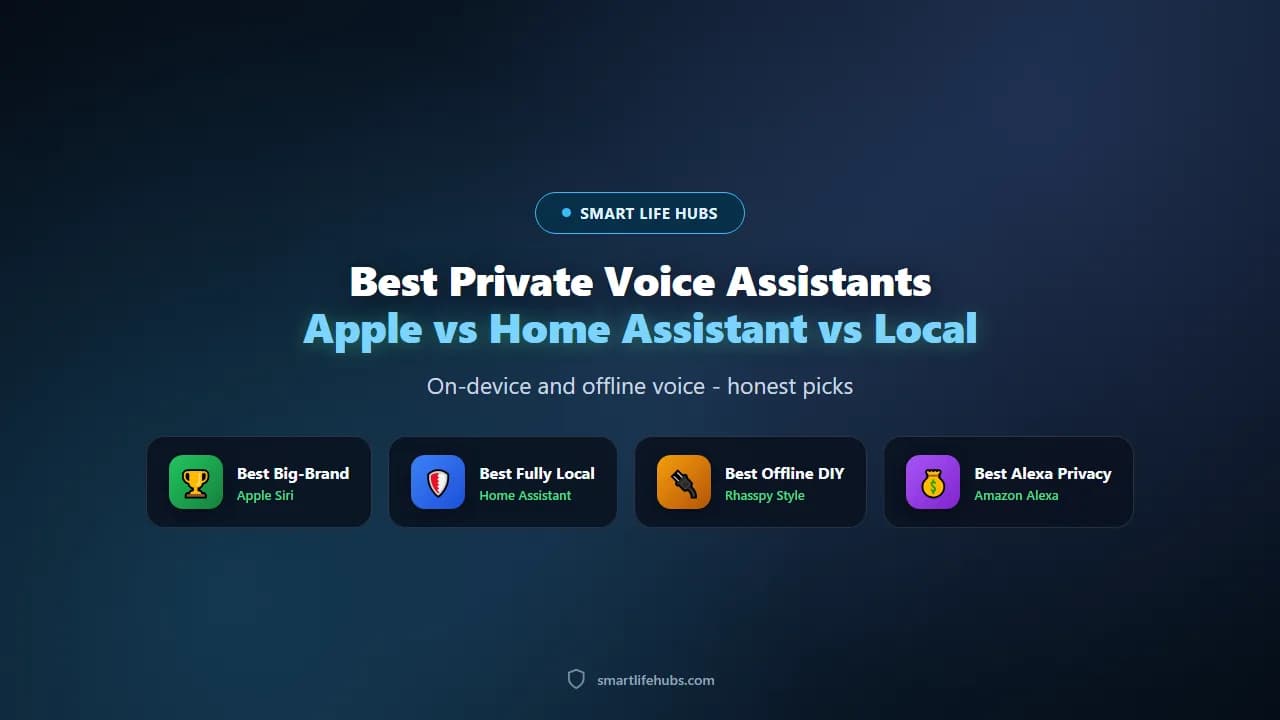
| Apple Siri and HomePod | Best big-brand privacy | On-device processing, HomeKit, no ad profiling | About 300 USD |
| Home Assistant local voice | Best fully local | Local STT and intent, no cloud, needs setup | Free to about 100 USD |
| Rhasspy style offline | Best offline DIY | Local wake word and intent, no network | About 30 to 80 USD |
| Amazon Alexa local | Best Alexa privacy | On-device wake word, local controls, cloud fallback | About 50 to 100 USD |
| Mycroft Mark II | Best open hardware | Open source, local option, community | About 200 to 300 USD |
The best privacy-first voice assistants of 2026
1. Apple Siri and HomePod, best big-brand privacy
Siri is the pick if you want a mainstream assistant that takes privacy seriously, because Apple processes a large part of the request on the device, it does not sell your data and it does not build an advertising profile from your requests. The HomePod 2 runs the same assistant with good sound, it works as a HomeKit hub, and it costs about 300 dollars. The honest trade-offs are an assistant that is weaker on general knowledge than Gemini or Alexa, an ecosystem that is Apple-first, and a privacy position that is good rather than absolute, because some requests still go to Apple’s servers.
Pros
- On-device processing with no ad profiling
- Good sound and a HomeKit hub in the HomePod
- About 300 dollars
Cons
- Weaker on general knowledge than the rivals
- Apple-first ecosystem
Check today’s price on Amazon.
2. Home Assistant local voice, best fully local
Home Assistant local voice is the pick if you want speech that never leaves the house, because the wake word, the speech-to-text and the intent all run on your own hardware and the command goes straight to your devices. It needs a small always-on machine, a microphone and a speaker, and it costs nothing for the software plus a few dollars for the hardware. The honest trade-offs are a setup that is measured in hours rather than minutes, an assistant that only understands the phrases you train, and no general knowledge, so it is the pick for control rather than conversation.
Pros
- Wake word, speech-to-text and intent all local
- No subscription and no cloud dependency
- Free software plus a few dollars of hardware
Cons
- Setup takes hours and some tinkering
- No general knowledge or web answers
Check today’s price on Amazon.
3. Rhasspy style offline, best offline DIY
An offline assistant in the Rhasspy tradition is the pick if you want the smallest possible footprint and you enjoy building things. It runs on a Raspberry Pi or a small PC, it listens for a wake word and it handles a fixed set of intents without a network connection, and the hardware costs about 30 to 80 dollars. The honest trade-offs are a project rather than a product, a vocabulary you define yourself, and no integration with the mainstream services unless you add it, so it is the pick for a tinkerer who wants total control.
Pros
- Fully offline with a tiny footprint
- About 30 to 80 dollars of hardware
- You define the vocabulary and the actions
Cons
- A project, not a finished product
- No general knowledge or cloud services
Check today’s price on Amazon.
4. Amazon Alexa local, best Alexa privacy
Alexa is the pick if you want the widest smart-home support and you are willing to accept a cloud assistant with local options. Newer Echo devices process the wake word and some commands on the device, they can control many devices locally, and Alexa has by far the largest device ecosystem, at about 50 to 100 dollars for a speaker. The honest trade-offs are that most requests still go to Amazon’s servers, the privacy settings are a maze, and the assistant is the most ad-supported of the three, so it is the pick for compatibility rather than privacy.
Pros
- Largest smart-home device support
- On-device wake word and local device control
- About 50 to 100 dollars
Cons
- Most requests still go to the cloud
- Privacy settings are complex and ad-supported
Check today’s price on Amazon.
5. Mycroft Mark II, best open hardware
The Mycroft Mark II is the pick if you want an open-source speaker you can inspect, because the hardware and the software are open and the assistant can run locally. It costs about 200 to 300 dollars, and the honest trade-offs are a smaller ecosystem, a company that has changed hands more than once, and a community rather than a corporate support team, so it is the pick for a buyer who values openness over polish.
Pros
- Open-source hardware and software
- Can run locally with no cloud
- About 200 to 300 USD
Cons
- Smaller ecosystem and community support
- Less polished than the mainstream options
Check today’s price on Amazon.
How to choose a privacy-first voice assistant
Start with where you want the audio to go, because that is the whole decision. If you want nothing to leave the house, buy a local pipeline like Home Assistant or an offline assistant and accept that it will not answer general questions. If you want a mainstream assistant with the best privacy, buy Apple. If you want the widest smart-home support, buy Alexa and turn on every local option.
Then check the wake word, because a device that listens for a wake word and processes it locally is very different from one that streams everything. A local wake word is the minimum for a private device, and a physical mute button that disconnects the microphone is better than a software switch.
Check the integrations, because a private assistant that cannot control your devices is a toy. Home Assistant local voice controls anything in Home Assistant, Apple controls HomeKit and some Matter devices, and Alexa controls the most devices but sends the most data. Pick the one that works with what you own.
Think about the failure mode, because a local assistant dies when the power or the network drops, and a cloud assistant dies when the internet does. A local pipeline on a small machine will need occasional attention, and a cloud assistant will be unavailable in a broadband outage. Decide which failure you prefer.
Finally, be honest about the trade-off, because privacy costs either money or time. Apple costs money but works out of the box, Home Assistant costs time but is free, and Alexa costs privacy but is the easiest. There is no option that gives you everything, so decide which you will give up. The Home Assistant voice project at voice.home-assistant.io documents the local pipeline and the hardware.
Living with a local voice assistant
Microphone placement and muting
A local assistant still has to hear you, so the placement question is the same as for a cloud one. Put the microphone in the room where you give the most commands, keep it a little away from a television or a extractor fan that will drown out your voice, and angle it towards the usual speaking position. A device that misses the wake word is one you will end up shouting at, and a device that hears every word in the house is one to place with care.
Test the mute button after every update, because a software change can alter the behaviour of the switch, and a microphone that appears muted while it is still listening is the worst outcome. Where there is no hardware disconnect, use a smart plug or a physical cover, and treat the plug as the real off switch rather than the app.
Put the microphone where it will hear you but not the whole house, because a local assistant still listens for a wake word. A kitchen worktop or a living room shelf is fine, and a bedroom is a place to think carefully about, because a microphone that is always on is a microphone you should be able to mute.
Use the physical mute and the microphone disconnect, because a software mute that can be overridden by an update is not a mute. Check the hardware switch, and if there is none, put a smart plug on the speaker so you can cut the power, which is the only guaranteed off.
Train the phrases you actually use, because a local assistant only knows what you teach it. Start with a dozen commands for the rooms you use most, test them, and add more once the first set is reliable. A local assistant that works for ten commands you use daily is better than one that half-works for a hundred.
Keep the local machine healthy, because a local assistant depends on a small computer that will need updates and the occasional reboot. Put it on a stable power supply, give it a wired network if you can, and check the logs occasionally, because a local pipeline that silently fails is worse than a cloud one that tells you it is down.
Test the failure mode before you rely on it, because a local assistant that dies in a power cut will leave you without control. Check what happens when the network drops, when the microphone is muted and when the machine reboots, and keep a manual fallback for the lights and the locks. For the wider setup, our local-only hub guide covers the hardware, and the no-cloud setup guide covers the whole approach.
Frequently asked questions
Frequently Asked Questions
6It means the wake word, the speech-to-text and the intent are handled on your own hardware, so your voice is not uploaded. A local assistant will not answer general knowledge questions unless you add a cloud service for that.
Apple processes a large part of a request on the device and does not build an advertising profile from it. Some requests still go to Apple’s servers, so it is good rather than absolute.
Alexa processes the wake word and some commands on the device and can control many devices locally, but most requests still go to Amazon’s servers and the assistant is the most ad-supported of the big three.
It understands the phrases you train, and recent versions use a local speech model that handles a reasonable range of wording. It will not match a cloud assistant on general knowledge, but it is good at controlling devices.
No. A small always-on machine like a Raspberry Pi or a repurposed mini PC is enough for a wake word and speech-to-text, though a faster machine will respond more quickly. A wired network helps.
A local assistant keeps working, which is its main advantage. A cloud assistant stops, though some devices keep playing locally stored music or controlling local devices. Check the specific device.
The bottom line
Buy the Apple HomePod 2 at about 300 dollars if you want the best privacy from a mainstream assistant, because on-device processing, no ad profiling and HomeKit support make it the easiest private choice.
Build a Home Assistant local voice pipeline if you want speech that never leaves the house, because it is free and it controls anything in Home Assistant, at the cost of an afternoon of setup. An offline Rhasspy-style assistant at about 30 to 80 dollars of hardware is the pick if you want the smallest footprint and you enjoy a project.
Buy Alexa at about 50 to 100 dollars if you want the widest smart-home support and you will turn on every local option, and the Mycroft Mark II at about 200 to 300 dollars if you want open hardware. The honest trade is that privacy costs either money or time, and the local options are the only ones that truly keep your voice in the house.